Tasks, assignment and reminders
Last updated 27 September 2026
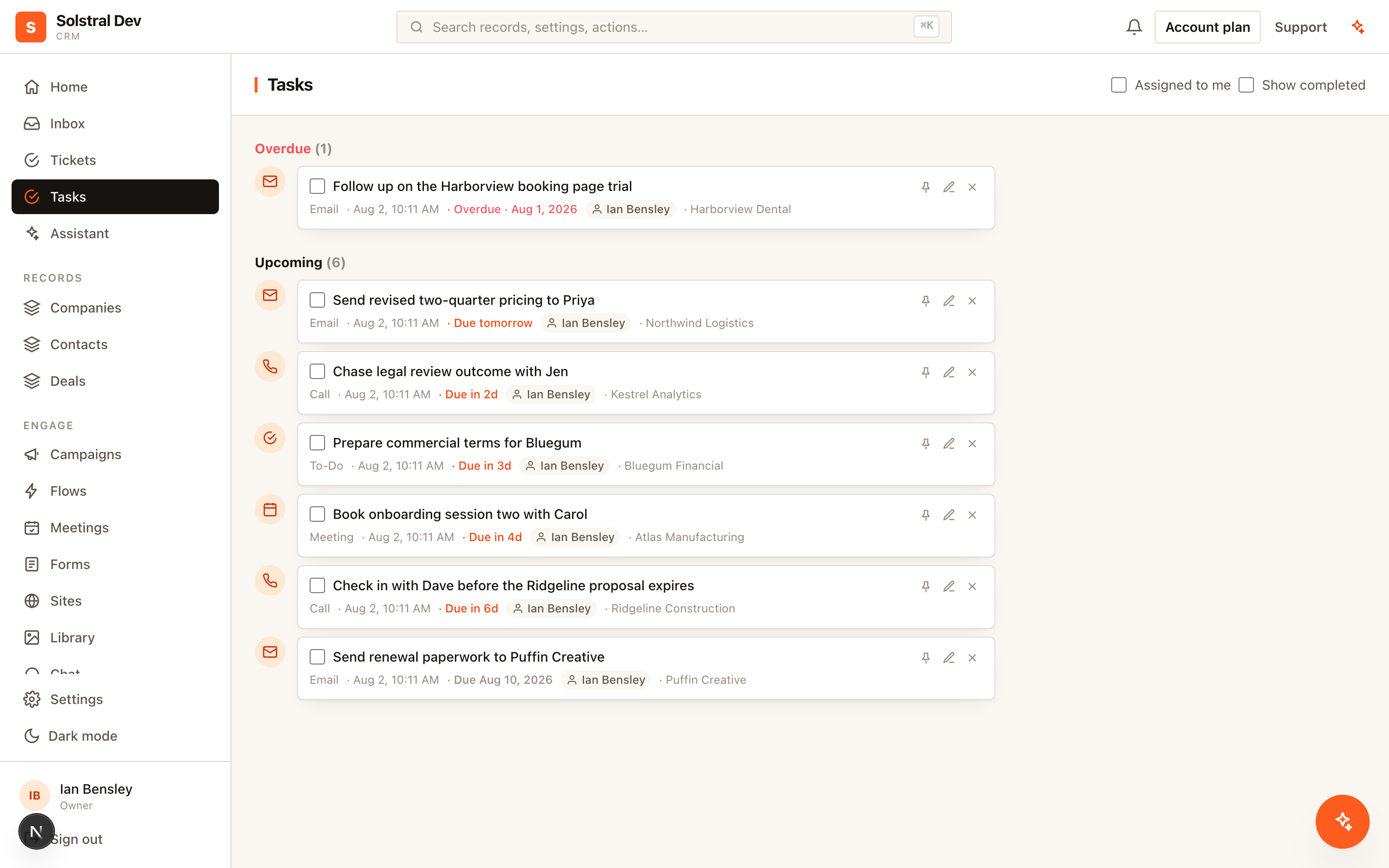
Tasks in Solstral live on the record they concern rather than in a separate to-do app. That is the whole design: the follow-up and the context for it are never in two different places.
1. Create the task where the work is
Add a task from any record's timeline. Give it a type — to-do, call, email, message or meeting — so the list tells you what kind of work is waiting, not just that some exists.
2. Set a due date
A due date is a day, and it means the same day for everyone on the team whatever their timezone. Due dates drive the ordering and the overdue highlighting. A task without one sits in the list indefinitely without ever becoming urgent, which in practice means it never gets done.
3. Assign it to someone
A new task is yours unless you choose otherwise. Assign it to a teammate rather than writing a note and hoping they read it, or pick Unassigned to leave it for whoever picks it up. It appears in their list, filterable to "assigned to me", carrying the record it belongs to — so they can act on it without asking you for background.
4. Add a reminder
A due date orders the list; a reminder actively notifies the assignee when the time comes. Use reminders for the follow-ups that have to happen at a particular moment — the call you promised for Tuesday morning — and leave the rest to the due date. You can change or clear a reminder later from the task's edit form, and reassigning the task hands the reminder to the new owner.
5. Work the list
The Tasks page shows everything outstanding on the records you can see, filterable by assignee, type and due date, with a month calendar alongside. Tick tasks off from there or from the record's timeline; either way the completion shows on the record's history. When a teammate is deactivated, their open tasks become Unassigned and admins are told.
6. Answer requests
Approval requests from flows, and change requests from the assistant, appear at the top of Tasks under Waiting on your decision. They are answered with Approve or Reject, not ticked off, and close by themselves when they expire.
Letting automations create tasks
Flows can create tasks too, which is how you stop relying on people remembering process. A deal reaching a stage can generate the follow-up call task automatically, assigned to the owner, with the due date already set. See Build your first flow.