Work the shared inbox
Last updated 1 August 2026
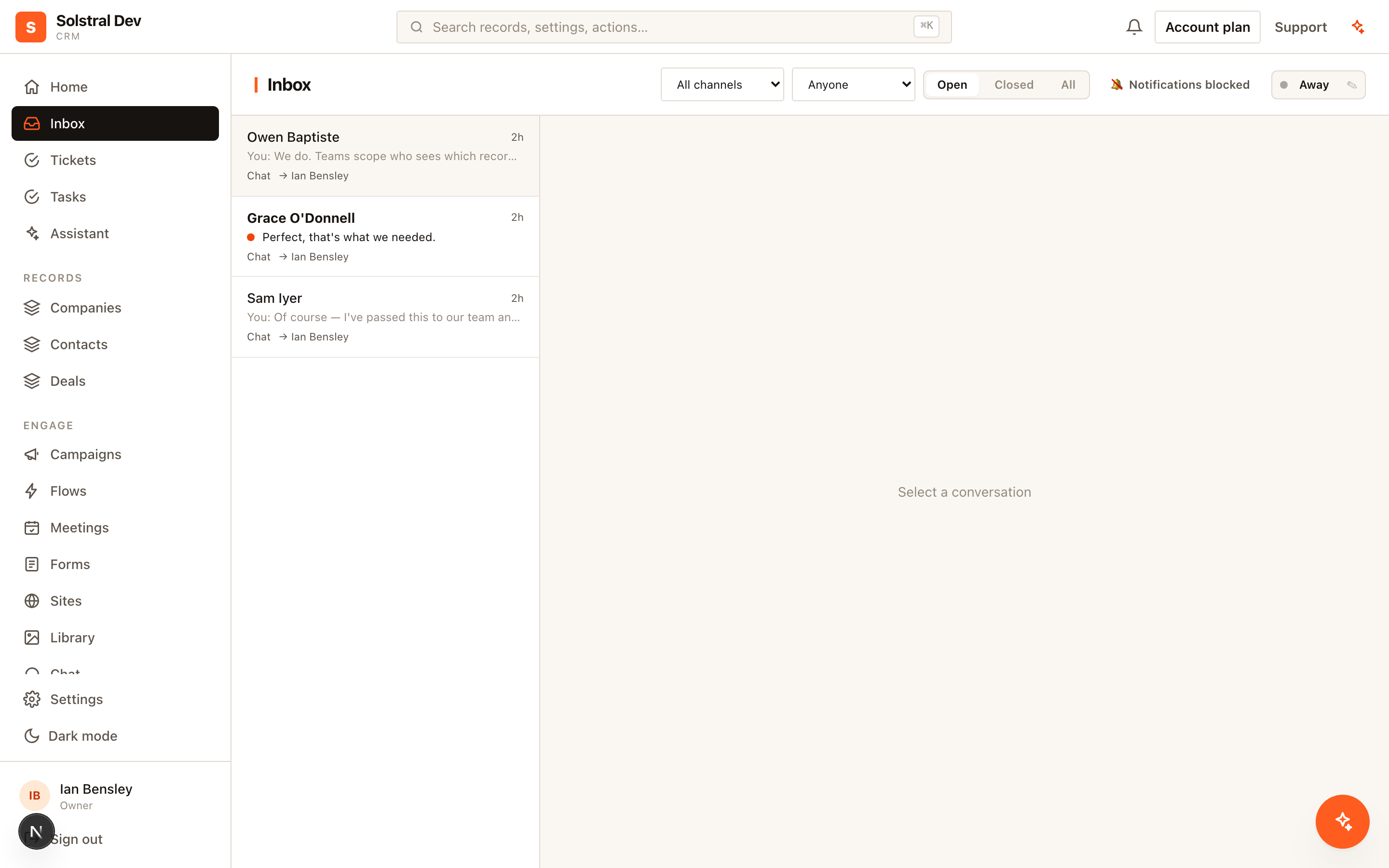
The shared inbox is one queue for every conversation your team has — email, website chat, and Instagram, Facebook, X and WhatsApp messages — with the CRM record for that person attached to each one.
1. Create a mailbox
A mailbox is the unit of sharing. Rather than everyone seeing everything, you create a mailbox for a function — support, sales, accounts — and put the right people on it. Conversations belong to a mailbox, and access follows from membership.
Start with one mailbox. Splitting into several is easy later, and teams that start with five usually find most of them empty.
2. Connect the channels
Email conversations arrive on the addresses you have configured for the workspace. Website chat arrives from the chat widget. Social messages arrive from any Instagram, Facebook, X or WhatsApp account you have connected — see Connect a social account.
Everything lands in the same list, and you can filter by channel when you want to work one at a time.
3. Reply with the record in view
Opening a conversation shows the linked contact, company and deal beside it. You are answering a person whose history you can see, not an anonymous message.
Email replies thread onto that record's activity timeline, so the next person to open the account sees the exchange without having to be forwarded anything.
4. Assign, don't hope
Assign a conversation to a person so it is unambiguous who is handling it. Routing rules can do this automatically based on the mailbox and channel, which is worth setting up once you know the pattern your team follows.
5. Escalate to a ticket when it needs tracking
A question you answer in one reply does not need a ticket. Something that will take days, needs a priority, or has a response commitment attached does — convert the conversation into a ticket and it gains a number, a status and an SLA clock. See Track support tickets and SLAs.